

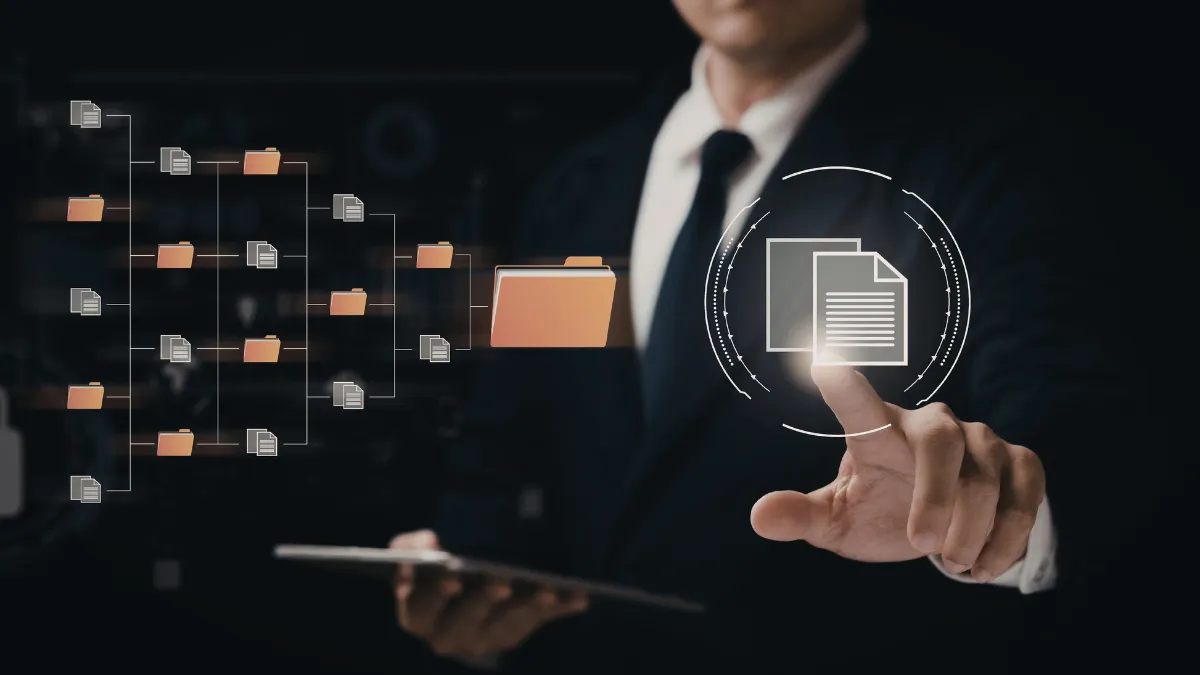
Break the Paper Habit with Document Digitization
Some business habits are difficult to change, and dependence on paper is one of them.
For decades, organizations relied on printed invoices, contracts, customer records, employee files, medical documents, reports, and correspondence to manage everyday operations. These documents were copied, distributed, filed, retrieved, returned, and eventually moved into storage rooms or off-site facilities.
Although paper-based processes may once have been unavoidable, they are often slow, costly, and difficult to manage in a modern business environment.
Employees may spend valuable time searching for documents, requesting files from other departments, checking multiple versions, or retrieving records from storage. Important documents can also be misplaced, damaged, duplicated, or filed under inconsistent names.
Document digitization provides a practical way to overcome these challenges by converting physical records into secure, organized, and accessible digital information.
Moving from Paper Records to Digital Information
The shift from paper-based processes to digital operations did not happen overnight. As computers, document scanners, optical character recognition, cloud platforms, and document management systems became more widely available, businesses gradually changed how they created, stored, and shared information.
Today, many documents are created, approved, exchanged, and stored without ever being printed. However, businesses may still have years of historical records stored in filing cabinets, boxes, warehouses, or off-site facilities.
These files may include valuable information, but retrieving and using that information can be difficult.
Document digitization helps businesses convert these records into electronic files that can be searched, shared, categorized, and connected to existing systems.
A complete document digitization process may include:
- Document preparation and sorting
- High-quality document scanning
- Optical character recognition
- Image enhancement
- Data extraction and validation
- File naming and document indexing
- Quality assurance
- Secure digital delivery
- Original-document return, storage, or destruction
This process goes beyond creating scanned images. The objective is to turn physical records into useful digital information that supports daily business operations.
Why Document Digitization Matters
Businesses generate and receive information from multiple sources, including customers, employees, suppliers, government agencies, healthcare providers, financial institutions, and business partners.
When this information remains on paper, access is limited by the document’s physical location. Only one person or department may be able to use the original file at a time.
Document digitization makes authorized information available to employees across departments, offices, and locations. Files can be organized by customer name, invoice number, account number, document type, department, date, or other relevant fields.
This allows employees to locate the required information without manually searching through boxes or filing cabinets.
Document digitization can also improve collaboration. Multiple authorized users can review the same document without creating unnecessary paper copies or sending physical files between locations.
Improve Document Accessibility
One of the most important benefits of document digitization is faster access to information.
A paper file stored in another office or warehouse may take hours or days to retrieve. A properly indexed digital record can often be located within seconds using relevant search criteria.
Improved access can benefit:
- Finance and accounting teams reviewing invoices
- Healthcare teams accessing patient-related records
- Insurance professionals reviewing claims
- HR departments managing employee documents
- Legal teams locating contracts and correspondence
- Logistics teams reviewing shipping documentation
- Customer service teams responding to inquiries
Faster access helps employees respond more efficiently and make decisions based on complete and current information.
Reduce Physical Storage Requirements
Paper records require filing cabinets, folders, boxes, storage rooms, transportation, and ongoing management.
As document volumes increase, storage costs can also increase. Businesses may need to rent additional office space or pay off-site storage providers to retain records for several years.
Document digitization helps reduce dependence on physical storage.
Once the digital files have been reviewed and accepted, the original documents can be returned, archived, retained, or securely destroyed according to the organization’s document retention policies and applicable requirements.
Businesses should not automatically destroy original files after scanning. Legal, contractual, regulatory, historical, and operational requirements should be reviewed before authorizing destruction.
Protect Important Business Records
Paper documents can be damaged or lost because of fire, water, deterioration, misfiling, unauthorized removal, or other unexpected events.
Document digitization supports business continuity by creating electronic files that can be backed up and maintained according to the organization’s security and disaster-recovery policies.
Digital records can also support controlled access through:
- User authentication
- Role-based permissions
- Access logs
- Encryption
- Controlled sharing
- Backup procedures
- Retention settings
- Download and printing restrictions
Document digitization does not automatically make information secure. Security depends on how files are scanned, transferred, stored, accessed, backed up, and managed.
For this reason, businesses should select a document digitization provider with clearly documented security, confidentiality, and chain-of-custody procedures.
Prepare Information for Automation
Document digitization can also support future automation and digital transformation initiatives.
Scanned images alone may be difficult to search or analyze. Optical character recognition can convert printed text into machine-readable information, while data extraction can capture selected fields from invoices, applications, forms, claims, contracts, and other documents.
For example, information captured from an invoice may include:
- Vendor name
- Invoice number
- Invoice date
- Purchase order number
- Total amount
- Payment terms
- Tax information
After validation, the information can be delivered to an accounting system, ERP platform, spreadsheet, database, or workflow application.
This allows document digitization to support invoice processing, approval workflows, reporting, data analysis, and other automated business processes.
Should Document Digitization Be Managed In-House?
Some organizations choose to complete document digitization internally. This may be practical when document volumes are low and the business already has suitable equipment, trained employees, secure facilities, and quality-review procedures.
However, large document digitization projects can require significant resources.
The business may need to purchase scanners and software, assign employees, prepare documents, manage damaged pages, create indexing standards, review image quality, validate captured information, and correct errors.
Employees may also need to balance document digitization responsibilities with their regular work, which can cause delays and reduce productivity.
Outsourcing document digitization provides access to trained resources, specialized technology, established processes, and scalable production capacity without requiring the business to build the complete operation internally.
Key Benefits of Outsourcing Document Digitization
Paper records may feel manageable when a business is small. As the organization grows, however, contracts, invoices, application forms, customer files, medical records, employee documents, reports, and historical archives can quickly become difficult to store and retrieve.
Employees may spend valuable time searching through cabinets or boxes, while important information remains unavailable to remote teams. Documents may also be misfiled, duplicated, damaged, or stored without a consistent indexing structure.
Document digitization converts paper-based and image-based records into organized digital files that can be searched, accessed, shared, and managed more efficiently. When the work involves thousands or millions of pages, outsourcing document digitization can help a business complete the transition without placing additional pressure on its internal employees.
A professional provider can manage document preparation, scanning, image enhancement, OCR processing, indexing, quality review, file conversion, and secure delivery as one structured workflow. This allows the business to modernize its records while maintaining control over file formats, naming conventions, access requirements, and retention policies.
What Is Document Digitization?
Document digitization is the process of converting physical records, scanned images, microfilm, books, and other non-digital content into usable electronic information.
It involves more than scanning a page and saving it as a PDF. A complete process may also include:
- Classifying documents by type
- Extracting relevant information
- Applying metadata and file names
- Checking image quality
- Creating searchable text through OCR
- Organizing records into folders or databases
- Connecting files to business systems
For example, an invoice can be scanned, processed through optical character recognition, indexed by vendor and invoice number, and stored in a searchable repository. A patient file can be organized by record type and date. A large historical archive can be converted into consistent formats so authorized employees can locate information without searching through storage rooms.
The purpose of document digitization is to make information easier to use, not merely to create digital images of paper documents.
Why Do Businesses Outsource Document Digitization?
A large conversion project requires scanners, software, secure work areas, trained employees, quality controls, and project management.
Businesses that attempt the work internally may discover that the project interrupts daily operations or moves slowly because employees must balance scanning responsibilities with their regular work.
Outsourcing document digitization gives the project dedicated resources and a defined production plan. The provider can organize batches, establish indexing rules, monitor page volumes, report exceptions, and apply quality checks before files are delivered.
This creates a more consistent process and helps the business avoid building a temporary internal department for a one-time or recurring requirement.
1. Faster Access to Business Information
Paper documents can generally be used only where they are physically stored. Even when employees know that a record exists, finding the correct folder, version, or page may take considerable time.
With document digitization, authorized users can retrieve files through searchable folders, metadata, document management systems, or connected business applications.
Search fields may include:
- Customer name
- Account number
- Invoice number
- Date
- Department
- Document type
- Policy or claim number
- Employee identification number
Faster retrieval supports customer service, audits, claims reviews, financial operations, legal requests, and everyday decision-making.
It also reduces the disruption caused when several employees need to access the same document at the same time.
2. Lower Physical Storage and Handling Costs
Paper records require filing cabinets, boxes, storage rooms, off-site facilities, transportation, and manual handling. These expenses can continue for several years, particularly when retention requirements prevent documents from being immediately destroyed.
Document digitization reduces dependence on physical storage by creating organized electronic records.
After the business confirms that files have been converted accurately, original documents can be retained, archived, returned, or securely destroyed according to the organization’s legal and operational requirements.
The financial benefit will depend on document volume, retention periods, retrieval frequency, and the current cost of physical storage. Organizations with large and frequently accessed archives may achieve significant operational improvements by reducing paper handling.
3. Improved Employee Productivity
Employees should not have to leave their desks, contact another office, or wait for a storage provider whenever they need an old record.
Digitized documents can be made available through controlled systems, allowing employees to retrieve information within their normal workflow.
Document digitization can also reduce manual data entry. OCR and structured data-capture technologies can extract selected information from invoices, forms, applications, claims, and other standardized documents.
Human reviewers can validate unclear fields and exceptions before the information is delivered to a:
- Database
- Spreadsheet
- ERP platform
- CRM system
- Document management platform
- Claims or billing application
This combination of technology and human review helps businesses move beyond image storage and create information that supports real operational work.
4. Better Accuracy Through Structured Quality Control
Poor-quality scans, missing pages, incorrect file names, and inaccurate indexing can make a digital archive almost as difficult to use as a paper archive.
Quality assurance must therefore be built into the document digitization process from the beginning.
An outsourced workflow can include:
- Page-count verification
- Image-quality review
- Duplicate detection
- Metadata validation
- OCR accuracy checks
- Batch reconciliation
- Manual exception review
- Final file-format verification
Before production begins, the business and service provider should agree on quality thresholds, sampling procedures, acceptance criteria, and correction processes.
These controls help ensure that the completed records are readable, correctly classified, complete, and ready for business use.
5. Stronger Business Continuity
Paper documents can be affected by misfiling, deterioration, water, fire, unauthorized removal, and other physical risks.
A physical archive may also become inaccessible during an office closure, relocation, building problem, or operational emergency.
Document digitization supports business continuity by allowing electronic files to be backed up and stored according to the organization’s technology and disaster-recovery policies.
Authorized access can be restored through approved systems without depending entirely on one office, filing cabinet, or storage warehouse.
Digitizing records does not replace a complete business continuity plan. However, it reduces dependence on physical access and makes recovery procedures easier to establish.
6. More Secure and Controlled Document Access
Paper files are commonly protected through locks, storage rooms, sign-out sheets, and employee supervision. These safeguards can be difficult to monitor consistently, especially when documents move between departments or business locations.
Digital systems can support:
- Role-based access
- User authentication
- Access logs
- Encryption
- Retention controls
- Controlled document sharing
- Backup and recovery policies
- Restrictions on downloading or printing
The exact safeguards will depend on the type of information, the systems being used, and applicable contractual, regulatory, and industry requirements.
When outsourcing document digitization, businesses should evaluate how records will be transported, received, scanned, accessed, stored, returned, and destroyed.
The service agreement should clearly define confidentiality obligations, authorized personnel, incident procedures, document locations, data-transfer methods, and applicable compliance responsibilities.
Healthcare organizations should determine whether a provider will function as a business associate and whether a Business Associate Agreement is required. Businesses processing financial or consumer information should separately evaluate their applicable privacy and safeguarding obligations.
7. Easier Collaboration Across Locations
Hybrid work, distributed teams, multiple offices, and international operations have made physical document access increasingly impractical.
Digital records can be shared through approved systems without mailing, faxing, or duplicating paper files.
Document digitization allows authorized employees to work from the same information while reducing confusion about document versions.
Teams can review, annotate, approve, and route records without waiting for a physical folder to reach them.
This can be especially useful for:
- Finance and accounting teams
- Healthcare administrators
- Insurance operations
- Legal departments
- Logistics providers
- Manufacturing companies
- Government agencies
- Organizations with centralized back-office teams
8. Better Preparation for Automation and Analytics
Automation depends on organized, accessible, and reliable information.
Paper documents and unindexed scanned images cannot easily support workflow rules, reporting, analytics, or AI-enabled processes.
Document digitization creates the foundation for these improvements. Once records are classified and important fields are captured, businesses can:
- Route documents for approval
- Identify missing information
- Track processing status
- Analyze historical records
- Detect duplicate documents
- Monitor turnaround times
- Connect information to existing systems
- Apply automated retention rules
The value is therefore not limited to reducing paper storage.
A carefully planned document digitization project can transform disconnected records into structured business information that supports future automation and digital transformation.
9. Flexible Capacity for Large or Recurring Projects
A business may need to convert a historical archive once, process incoming records every day, or manage a combination of backlog conversion and ongoing scanning.
Each situation requires different staffing levels, equipment, and production capacity.
Outsourcing document digitization makes it easier to adjust resources according to:
- Page volume
- Document complexity
- Required turnaround time
- Indexing requirements
- Image quality
- OCR requirements
- Number of data fields
- Frequency of incoming documents
The service provider can establish a dedicated team for a large historical backlog and later transition to a smaller recurring workflow for newly received documents.
This flexibility helps businesses avoid purchasing equipment and recruiting permanent employees for volumes that may reduce after the initial project is completed.
What Does the Document Digitization Process Include?
A reliable project normally begins with discovery and planning.
The provider reviews sample files, estimates page volumes, identifies document types, confirms output formats, and defines the required indexing fields.
A structured document digitization process may include the following steps:
1. Document Collection and Logging
Incoming boxes, files, folders, or electronic images are recorded and assigned batch numbers. This creates accountability and helps both parties track the status of each document group.
2. Document Preparation
Staples, clips, bindings, folders, damaged covers, and other obstructions are removed. Pages may also be repaired, flattened, sorted, and placed in the correct order.
3. Classification and Sorting
Records are separated by department, customer, document type, date, account, project, or another agreed business rule.
4. Scanning
Documents are scanned at an agreed resolution, color setting, and file format. Special equipment may be required for books, photographs, oversized records, drawings, microfilm, or fragile documents.
5. Image Enhancement
Images may be deskewed, rotated, cropped, cleaned, or adjusted to improve readability.
6. OCR Processing
Optical character recognition converts printed text within scanned images into searchable or editable information.
7. Data Extraction and Validation
Selected fields are captured from documents and validated according to defined business rules. Unclear information can be routed to trained reviewers.
8. Document Indexing
Files are assigned agreed metadata, document names, folder structures, or database values to make them easier to locate.
9. Quality Assurance
The provider reviews image clarity, document completeness, indexing accuracy, OCR results, and delivery formats.
10. Secure Delivery
Completed records are transferred through an approved system or imported into the client’s document management or business application.
11. Source-Document Disposition
Original documents are returned, stored, archived, or destroyed according to written client instructions and applicable retention requirements.
The document digitization plan should also explain how blank pages, handwritten notes, oversized pages, photographs, duplicates, damaged files, and unreadable content will be managed.
Which Types of Documents Can Be Digitized?
Organizations can use document digitization for many types of business records, including:
- Invoices, purchase orders, and receipts
- Customer applications and account files
- Medical charts and patient records
- Insurance claims and policy documents
- Employee records and HR forms
- Contracts, legal files, and correspondence
- Logistics documents and bills of lading
- Engineering drawings and technical manuals
- Books, journals, newspapers, and historical archives
- Surveys, questionnaires, and structured forms
- Tax records and financial reports
- Property and real estate documents
- Product records and manufacturing documentation
The scanning method, OCR approach, indexing structure, and quality requirements should be adapted to each document type rather than applying one standard process to every record.
In-House vs. Outsourced Document Digitization
An internal approach may be suitable when the volume is small, the documents are highly sensitive, and the organization already has appropriate equipment and trained employees.
It may also be preferred when records must remain within a controlled business location.
Outsourced document digitization is often more practical for:
- Large historical archives
- Strict completion deadlines
- Mixed document types
- Complex indexing requirements
- Recurring high-volume work
- Projects requiring OCR and data extraction
- Records requiring several quality-review stages
Outsourcing provides access to specialized equipment, experienced production teams, and documented quality procedures without requiring the business to establish the complete operation internally.
A hybrid approach may also be used. The original documents can remain on-site while approved resources perform scanning, or the organization can scan records internally and outsource OCR, indexing, data capture, and quality review.
Also Read: What Are Document Digitization Services and How Does it Impact Your Business?
How to Choose a Document Digitization Partner
The right provider should understand both document conversion and the business objective behind the project.
Before selecting a provider, ask about:
- Experience with similar document types
- Capacity to manage the expected volume
- Availability of a sample test or pilot project
- Scanning, OCR, indexing, and data-capture capabilities
- Quality-assurance procedures
- Error-correction and rework policies
- Security and confidentiality controls
- Chain-of-custody procedures
- Supported file formats
- Integration capabilities
- Production reporting
- Turnaround commitments
- Business continuity procedures
- Source-document return or destruction options
- Pricing assumptions and change controls
A dependable document digitization provider should be able to explain the full workflow, identify potential risks early, and establish measurable service standards.
The relationship should involve more than delivering scanned pages. The final records should be organized around how your employees need to find, use, and manage business information.
How Much Does Document Digitization Cost?
The cost of document digitization depends on several factors, including:
- Total number of pages
- Condition of the documents
- Page size
- Black-and-white or color requirements
- Document-preparation effort
- OCR requirements
- Number of indexing fields
- Handwritten information
- Quality standards
- Turnaround expectations
- Transportation requirements
- Required delivery format
- Source-document storage or destruction
A low per-page price may not include document preparation, metadata entry, exception handling, quality review, or secure disposal.
Businesses should compare the complete scope of work and expected output rather than evaluating the scanning rate alone.
A small pilot batch can help confirm image quality, indexing accuracy, productivity, exception rates, and total project cost before the full archive is released.
Build a Searchable and More Efficient Digital Archive
Paper files should not prevent employees from locating information, assisting customers, completing audits, or working efficiently across locations.
Document digitization gives businesses a practical way to modernize historical records while preparing information for future workflows, analytics, and automation.
Rely Services supports document scanning, OCR, indexing, data capture, quality review, and structured file conversion based on your document types, volumes, systems, and turnaround requirements.
Whether you need to convert a historical archive or establish an ongoing digital document workflow, our team can build a process around your existing operations.
Ready to make your business records easier to access, search, and manage?
Discuss Your Document Digitization Project
Frequently Asked Questions
What is the primary benefit of document digitization?
The primary benefit is faster and more controlled access to business information. Digitized records can also reduce physical storage dependency, improve collaboration, support backup planning, and prepare information for automated workflows.
Is document digitization the same as document scanning?
No. Document scanning creates an electronic image of a page. Document digitization may also include OCR, indexing, classification, data extraction, validation, quality control, and integration with business systems.
Can handwritten documents be digitized?
Yes. Handwritten records can be scanned, classified, and indexed. Automated recognition accuracy will depend on handwriting quality, layout, language, and image condition, so manual review may be necessary.
How are confidential records protected during digitization?
Protection may include documented chain-of-custody procedures, restricted access, secure work areas, confidentiality obligations, approved transfer methods, and safeguards appropriate to the information being processed.
Should original records be destroyed after digitization?
The decision depends on legal, regulatory, contractual, historical, and operational requirements. Organizations should verify the completed digital files and confirm applicable retention rules before authorizing destruction.
Can document digitization support business automation?
Yes. Once records are classified and important information is captured, the data can support approval workflows, reporting, analytics, validation rules, and integration with ERP, CRM, accounting, claims, or document management systems.
How long does a document digitization project take?
The timeline depends on document volume, physical condition, preparation requirements, indexing complexity, OCR needs, quality standards, and required turnaround. A pilot project can help establish a realistic production schedule.